How 404 Errors Can Hurt SEO and AI Search Visibility
A few weeks ago, while reviewing my Google Search Console reports, I noticed something unusual.
Despite spending weeks improving my website’s technical SEO, Google was still reporting redirect issues and discovering old URLs that I thought had disappeared long ago.
After investigating, I found the culprit.
Months earlier, I had changed my blog archive from /blogs/ to /blog/ and renamed my contact page. While the main URLs redirected correctly, several paginated archive pages and old links didn’t. Google continued discovering these outdated URLs, resulting in redirect warnings and a few 404 errors.
At first, I wasn’t too concerned. Google has often said that 404 errors are a normal part of the web.
But the deeper I looked, the more I realized that while an occasional 404 isn’t harmful, leaving broken URLs unresolved can affect far more than just traditional SEO. They can impact crawl efficiency, user experience, and potentially even how AI systems discover and retrieve your content.
That experience prompted me to take a closer look at why 404 errors deserve more attention than they often receive.
What Is a 404 Error?
A 404 (Page Not Found) error occurs when someone requests a webpage that no longer exists on your website.
This commonly happens when:
- A page is deleted
- A URL is changed without a redirect
- An external website links to an outdated URL
- A visitor types the wrong address
Instead of reaching the intended page, users see a message indicating the content cannot be found.
Are 404 Errors Bad for SEO?
The short answer is not always.
Google has repeatedly stated that 404 pages are perfectly normal. Websites evolve, content gets removed, and not every missing page needs to exist forever.
The real problem starts when 404 errors become widespread or affect important pages.
For example:
- Valuable pages return 404 errors.
- Internal links point to deleted content.
- Pages with backlinks disappear.
- Old URLs remain in Google’s index.
- Visitors frequently encounter broken pages.
In these situations, 404 errors begin creating technical SEO issues.
How 404 Errors Can Affect SEO
1. Poor User Experience
Nothing frustrates visitors more than clicking a link and landing on a dead page.
If users can’t find the information they expected, they’re more likely to leave your website immediately.
Higher bounce rates and poor user experience aren’t good signals for any website.
2. Wasted Crawl Budget
Search engines allocate a limited crawl budget to every website.
If Googlebot spends time crawling hundreds of broken URLs, that’s time it could have spent discovering your newest articles or updated pages.
For smaller websites, this may have a limited impact. For larger sites with thousands of pages, crawl efficiency becomes much more important.
3. Lost Backlink Value
This is one of the biggest issues.
Imagine another website links to one of your articles.
Months later, you change the URL without adding a 301 redirect.
Now every visitor—and every search engine—lands on a 404 page.
The authority that backlink was passing to your website is largely lost.
A simple 301 redirect could preserve much of that value.
4. Broken Internal Linking
Internal links help search engines understand your website structure.
When those links point to deleted pages, they interrupt the flow of authority throughout your site and make navigation harder for visitors.
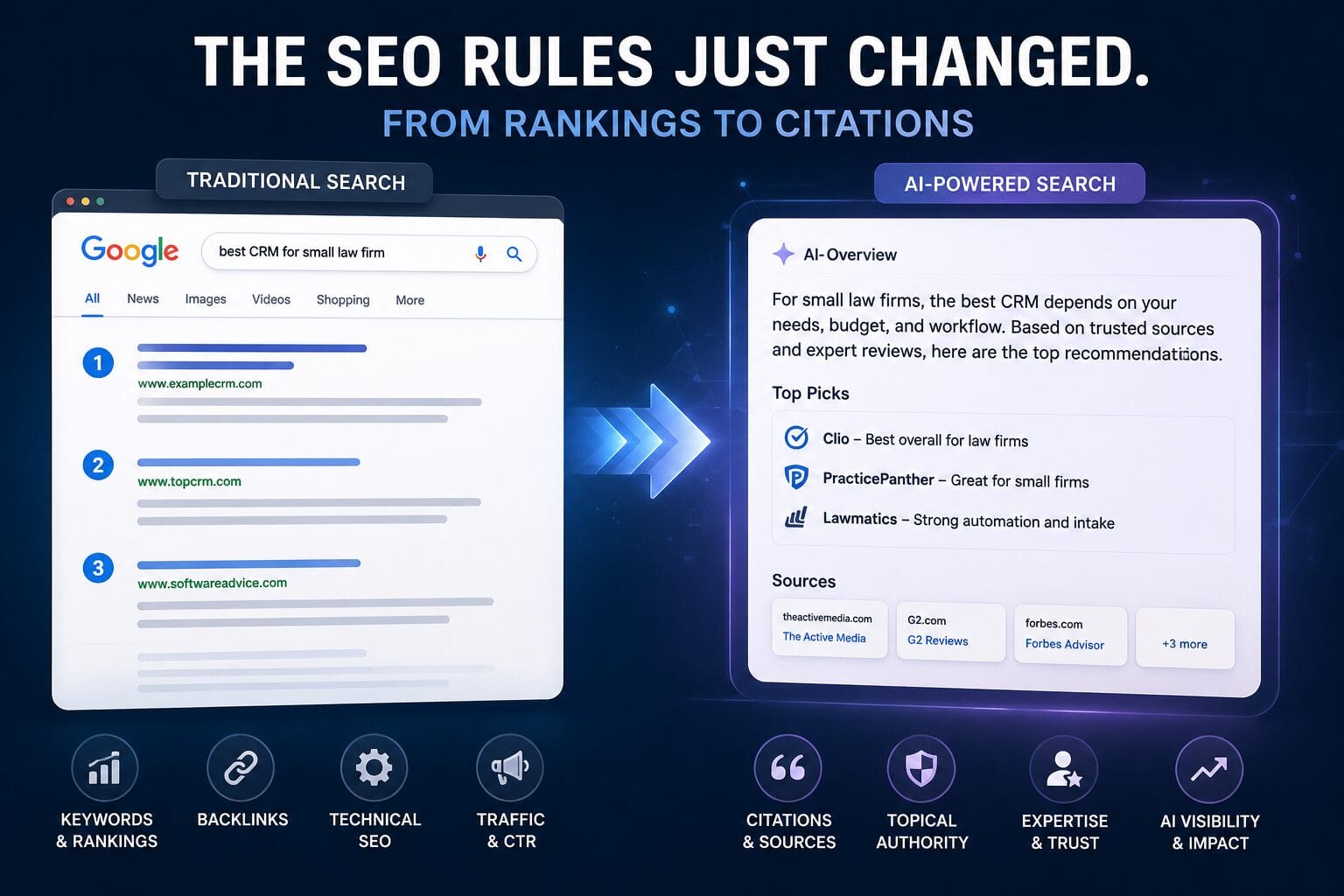
What About AI Search?
AI-powered search engines don’t crawl the web exactly like Google does, but they still depend on reliable, accessible content.
Whether someone is using ChatGPT, Gemini, Perplexity, or another AI assistant, those systems need webpages they can successfully retrieve and understand.
If your website contains numerous broken URLs, missing resources, or incorrect redirects, it creates unnecessary friction.
AI systems can’t reference content they can’t reliably access.
That doesn’t necessarily mean one 404 error will stop an AI from mentioning your website. However, maintaining a technically healthy website improves the likelihood that your content remains accessible when AI systems retrieve information.
My Own Experience
In my case, the issue wasn’t hundreds of missing pages.
It was a handful of old archive URLs that I had overlooked after changing my website structure.
Google continued discovering pages like
/blogs/page/2//blogs/page/3//blogs/page/4/
The main archive redirected correctly, but the paginated pages didn’t.
After creating the correct redirects, Google could once again follow those URLs to their new destinations, and I restarted validation in Search Console.
It was a good reminder that even small technical issues can linger long after we think we’ve fixed them.
When Should You Use a Redirect?
Not every 404 should automatically become a redirect.
A 301 redirect makes sense when:
- The content has moved.
- A newer version exists.
- The page has backlinks.
- Users may still visit the old URL.
A genuine 404 is perfectly acceptable when:
- The content has been permanently removed.
- There isn’t a relevant replacement.
- Redirecting users would create confusion.
The goal is always to improve the user experience—not simply eliminate every 404.
How to Find 404 Errors
Fortunately, finding broken pages is relatively straightforward.
Some of the best tools include:
- Google Search Console
- Bing Webmaster Tools
- Screaming Frog SEO Spider
- Ahrefs Site Audit
- Semrush Site Audit
Regular audits can help identify:
- Broken internal links
- Missing redirects
- Soft 404 pages
- Broken external backlinks
- Redirect chains
Best Practices
To keep your website technically healthy:
- Audit your website regularly.
- Fix broken internal links.
- Redirect important old URLs using 301 redirects.
- Keep your XML sitemap updated.
- Remove obsolete URLs from navigation.
- Monitor Google Search Console for crawl errors.
- Check your website after redesigns or URL changes.
Small maintenance tasks today can prevent much larger technical problems later.
Final Thoughts
A few 404 errors won’t destroy your SEO.
Every website will have some, and that’s completely normal.
The real risk comes from ignoring them.
Broken pages can frustrate visitors, waste crawl resources, weaken your internal linking, and cause valuable backlinks to lose their impact. As AI-powered search continues to grow, maintaining a clean and technically sound website becomes even more important—not just for Google, but for any system trying to discover, retrieve, and understand your content.
My own experience reminded me that technical SEO isn’t something you fix once and forget. Even small changes, like renaming a blog archive or updating a URL, can leave behind issues that only become visible months later.
Regularly reviewing your website for 404 errors may not be the most exciting SEO task, but it’s one of the simplest ways to keep your content accessible, your users happy, and your website ready for both traditional search engines and AI-powered search.
Related Reading: