How I Took My Website’s Entity Identity, Brand Consistency, and Entity Connections to a Perfect 100
Share this article
I finally got all three to 100.
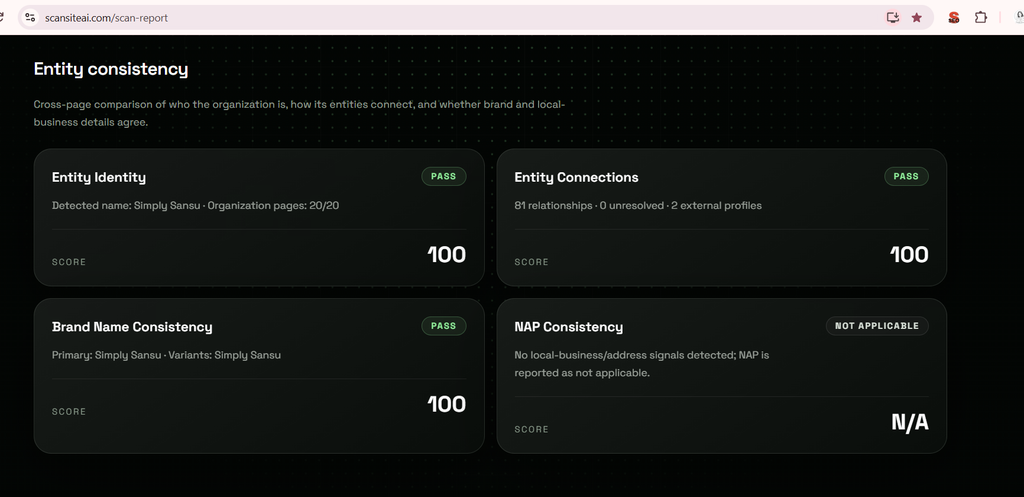
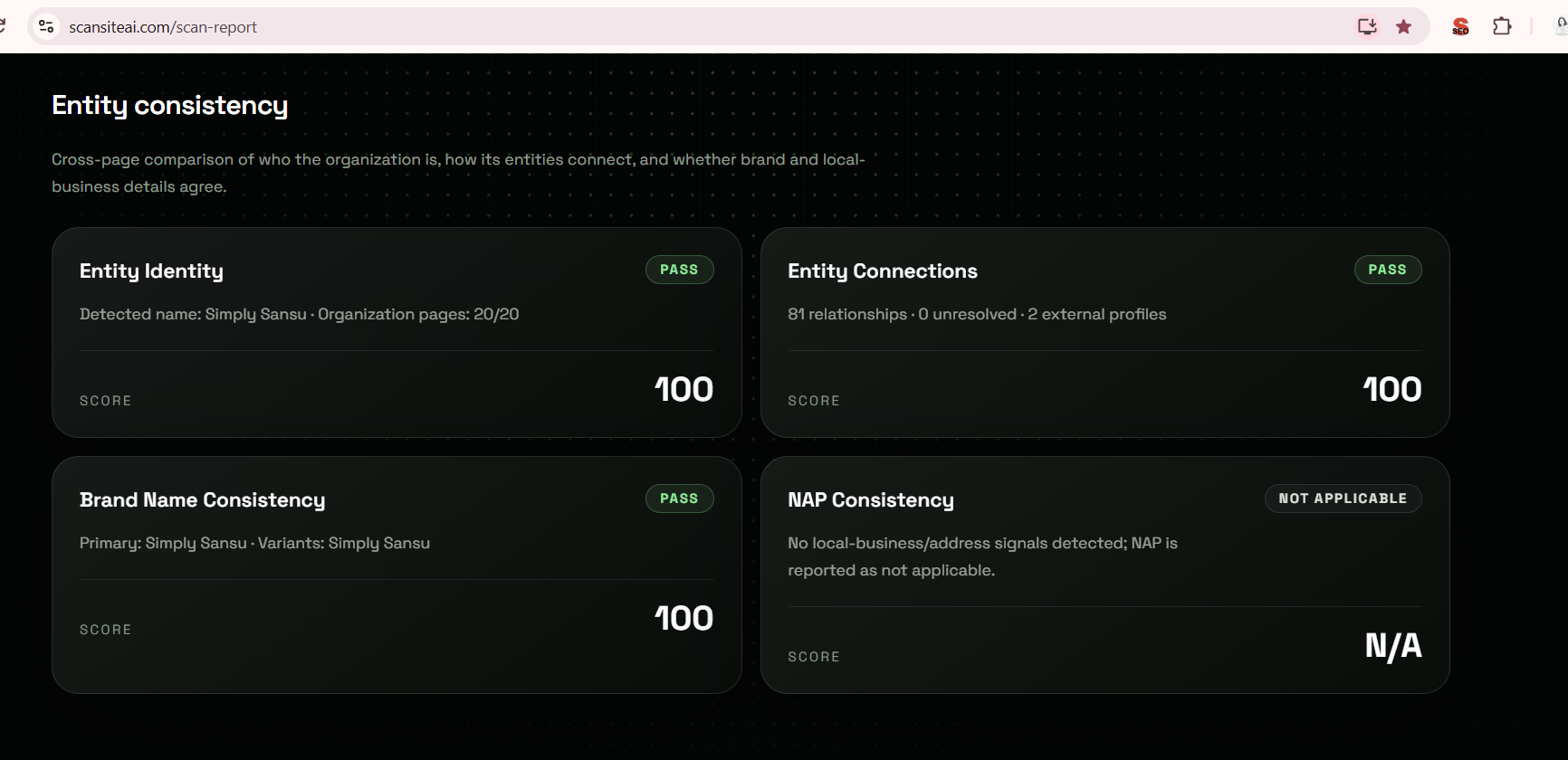
After working on my website’s entity identity and brand consistency, I checked the results again. Brand Name Consistency, Entity Identity, and Entity Connections were all showing 100.
That was a satisfying jump, especially because I had identified specific inconsistencies on my own website and worked through them one by one.
This is exactly what I changed and what I learned from the process.
Where I Started
When I started the analysis, the scores were:
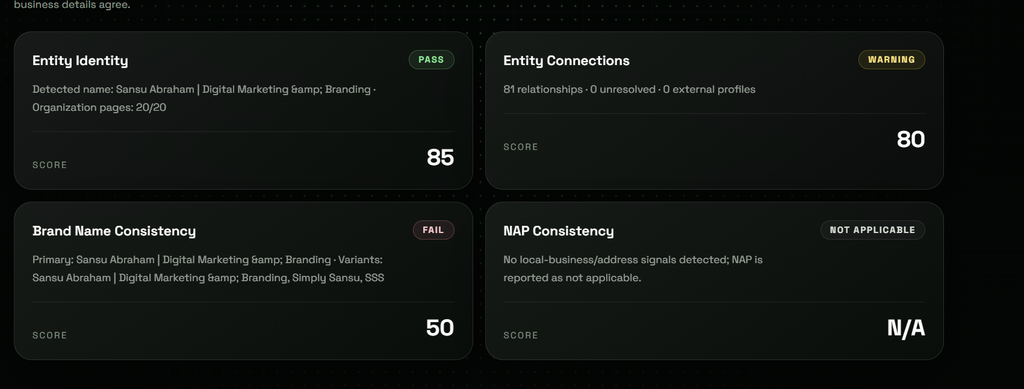
As of October 16, 2026, my website’s entity information showed inconsistencies around my brand identity.
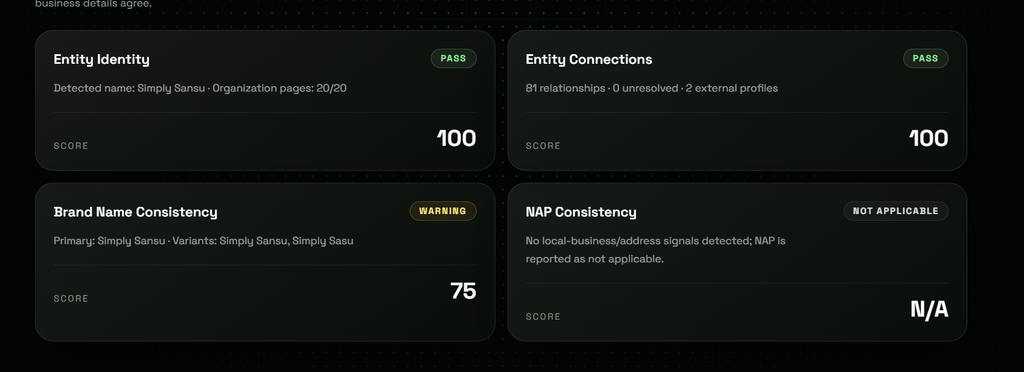
One of the issues was a simple typo.
Brand Name Consistency
The scan showed:
Primary: Simply Sansu
Variants: Simply Sansu, Simply Sasu
The problem was “Simply Sasu”, which was simply a typo. My brand name is Simply Sansu. I corrected the typo and then requested indexing for the three pages where I had made the relevant changes. But that was not the only inconsistency I found.
Another Brand Identity Issue
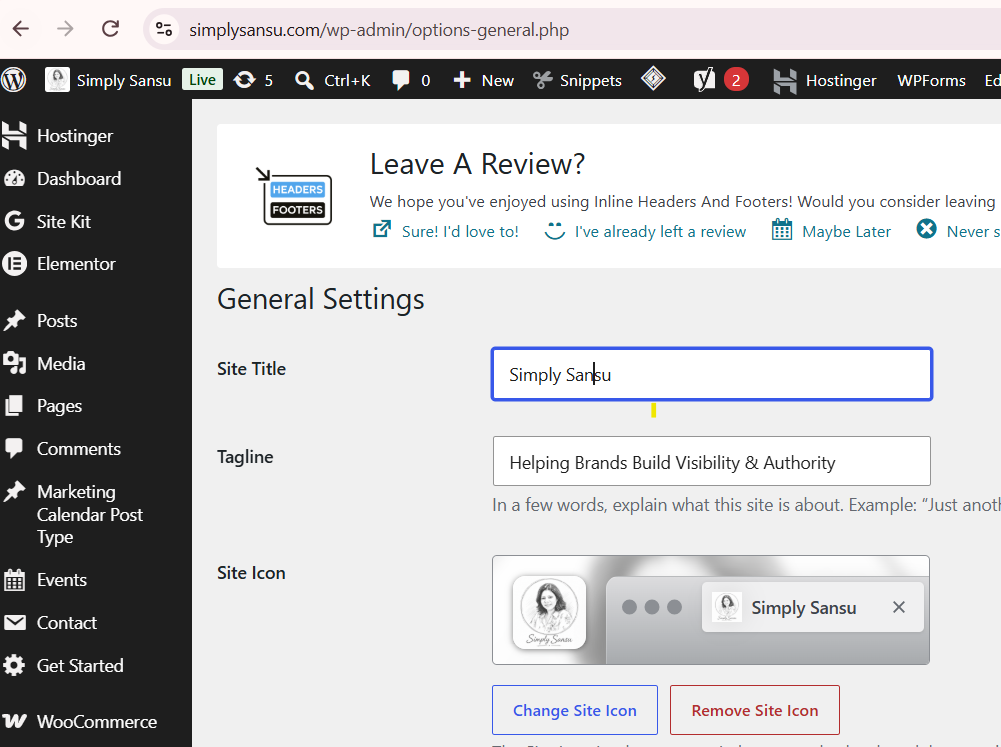
Another scan showed:
Primary: Sansu Abraham | Digital Marketing & Branding
Variants: Sansu Abraham | Digital Marketing & Branding, Simply Sansu, SSS
The Brand Name Consistency score was 50, marked as Fail.
This made me look more closely at how my website was presenting my identity.
I realized that I needed to make the distinction clearer:
Simply Sansu is my business and website. Sansu Abraham is the person behind the business.
I wanted the website to clearly represent these as two connected but distinct entities.
What I Changed
I worked on the entity structure and made the following priorities clear:
- Organization name: Simply Sansu
- Website name: Simply Sansu
- Home Page Title: Simply Sansu
- Organization logo: Simply Sansu logo, without SSS
- Organization
sameAs: Official Simply Sansu profiles - Person entity: Sansu Abraham
- Founder relationship: Sansu Abraham → founder of → Simply Sansu
I also reviewed my SEO and structured data settings.
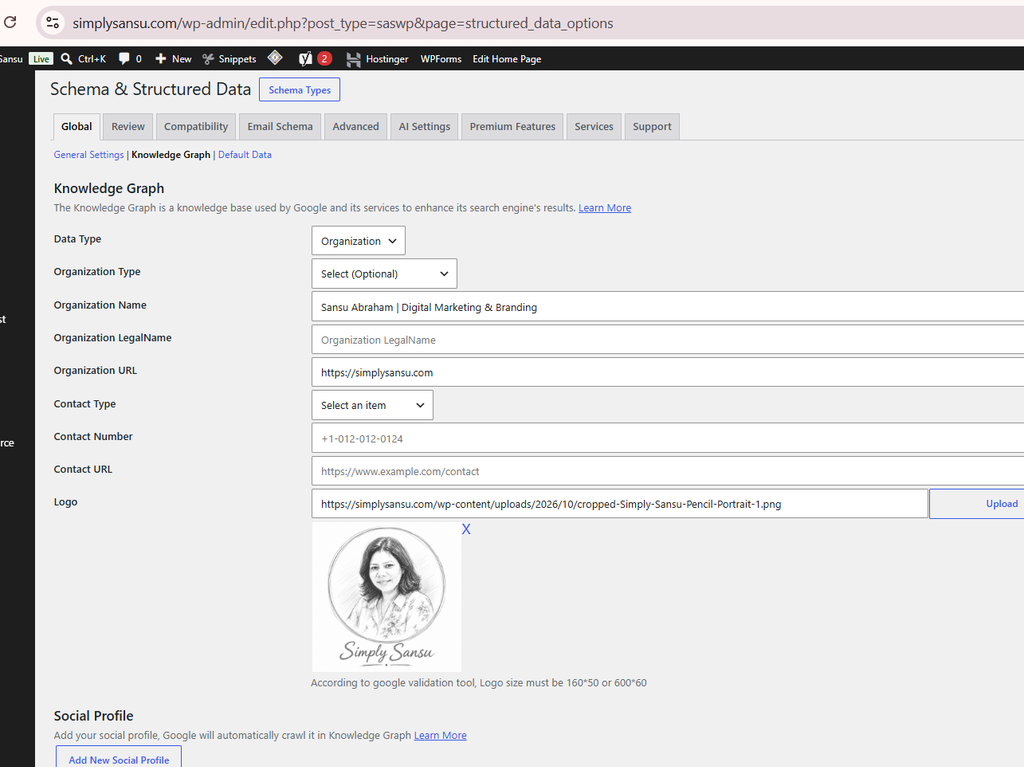
Knowledge Graph
I set the data type as Organization and used:
Organization Name: Simply Sansu
Organization URL: https://simplysansu.com/
I added the Simply Sansu logo and kept the social profile fields available for the official Simply Sansu profiles.
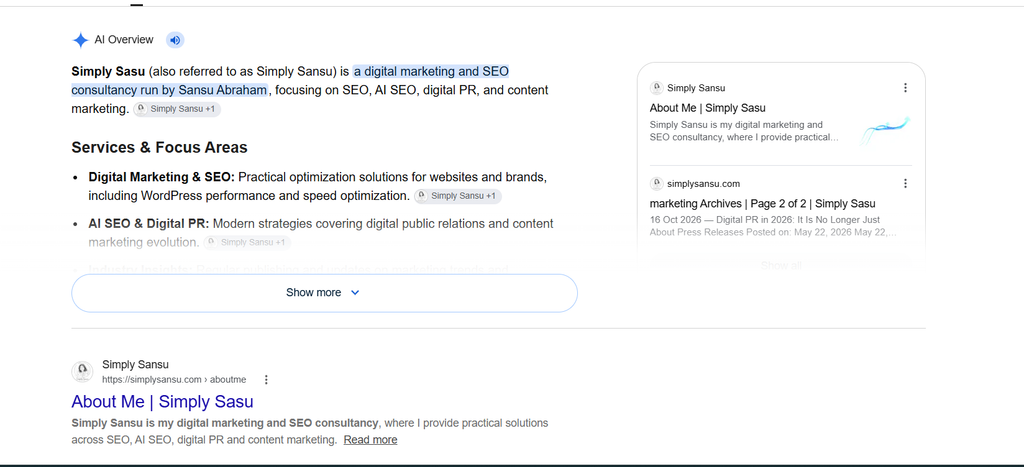
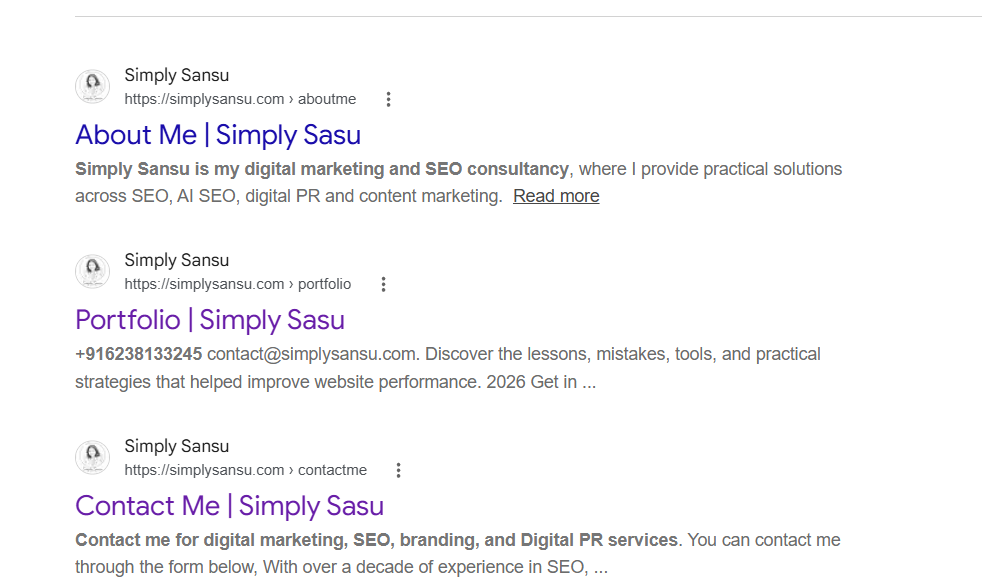
When I found that there was a typo in my name on the website, the first thing I had to do was find out where this typo was coming from.
I did a quick Google search and found it showing up in two places. One was the Marketing Archives page, and the other was on my About Me, Contact Me, and Portfolio pages. These were affected by an edit I had made while optimizing the website for brand consistency.
I realized that the mistake was probably coming from one common place. If I could find that source and fix it there, it would solve the problem across all those pages at once.
That is when I checked my Yoast SEO settings.
Yoast SEO
I changed the website representation to Organization and set the organization name to Simply Sansu.
I kept Sansu Abraham as the individual/person and author.
This was important because I did not want my personal identity and my business identity to be treated as the same thing.
Schema and Structured Data
I also reviewed my schema settings and kept the relevant structured data in place, including:
- Website Schema
- Author Schema
- Article
- BlogPosting
- Product on product pages
- Breadcrumbs
For the author, I kept:
Author: Sansu Abraham
Schema Type: Person
For the website and organization, I kept:
Website Name: Simply Sansu
Organization Name: Simply Sansu
The Result
After making these changes, I checked the entity information again.
The result was exactly what I wanted:
Brand Name Consistency: 100
Entity Identity: 100
Entity Connections: 100
All three were now at 100.
I also requested indexing for the pages where I had made the changes so that the updated information could be recrawled.
What I Learned
This experience reminded me that improving a website for AI search is not always about making major changes.
Sometimes, the issue can be something as simple as a typo.
In my case, I also had to look at the bigger picture and make sure my business, website, personal identity, and their relationship were being represented consistently.
Simply Sansu is the business. Sansu Abraham is the person behind it.
Once I made that distinction clearer across my website and structured data, the results improved significantly.
Going from a Brand Name Consistency score of 50 to 100, and getting Entity Identity and Entity Connections to 100, was a clear indication that the changes had made the entity information much more consistent.
This was my own website, so I could see exactly what was wrong, make the changes, and check the result.
And that is probably the biggest takeaway for me:
Sometimes, making a website more AI-friendly starts with making sure it clearly knows who you are.
typo
Brand Name Consistency
Primary: Simply Sansu · Variants: Simply Sansu, Simply Sasu
I fixed the typo
And I requested indexing for all 3 pages.
fixing your entity/brand consistency, so the priority is:
- Organization name → Simply Sansu
- Website name → Simply Sansu
- Home Page Title → Simply Sansu
- Organization logo → Simply Sansu logo, without SSS
- Organization
sameAs→ official Simply Sansu profiles - Person entity → Sansu Abraham
- Founder relationship → Sansu Abraham → founder of → Simply Sansu
https://scansiteai.com/scan-report
Brand Name Consistency
Primary: Sansu Abraham | Digital Marketing & Branding · Variants: Sansu Abraham | Digital Marketing & Branding, Simply Sansu, SSS
fail
Score50SEO & Schema Changes Made to Simply Sansu
1. Knowledge Graph
- Data Type: Organization
- Organization Name: Simply Sansu
- Organization URL: https://simplysansu.com/
- Organization Legal Name: Left blank
- Organization Type: Left as optional because there was no suitable option available in the plugin
- Contact Type: Left blank
- Contact Number: Left blank
- Contact URL: Left blank
- Logo: Added the Simply Sansu logo
- Social profile fields can be used for official Simply Sansu profiles.
2. Yoast SEO
- Changed the website representation to Organization.
- Set the organization name to Simply Sansu.
- Kept Sansu Abraham as the individual/person and author.
- Kept the About Page as the site’s About Page.
- This separates the business entity from the individual author entity.
3. Schema & Structured Data – General Settings
- Website Schema (HomePage): Enabled
- Sitelinks Search Box: Disabled
- Archive Schema: Disabled
- Author Schema: Enabled
- Author Schema Type: Person
- WooCommerce Archive: Enabled
- List Type: DetailedItemList
- Breadcrumbs: Enabled
- Home Page Title: Simply Sansu
4. Schema Types
- Article: Enabled globally
- BlogPosting: Enabled globally
- Product: Enabled on product pages
- No separate Organization schema type was added from the Schema Types section because the organization identity is already being handled through the Knowledge Graph.
5. Author Identity
- Author: Sansu Abraham
- Schema Type: Person
- The author was not changed to Organization.
- Simply Sansu remains the business/organization entity, while Sansu Abraham remains the person behind the content.
6. Website Identity
- Website Name: Simply Sansu
- Website URL: https://simplysansu.com/
- Site branding: Simply Sansu
- Logo: Simply Sansu logo
- Site icon/favicon: Configured separately from the organization logo.
This structure keeps the business, website, and author entities distinct but connected, rather than presenting Simply Sansu and Sansu Abraham as the same entity.