If Google Can Find My Pages, Why Do I Need Internal Links?
Share this article:
For my other blogging website, SansuBlogs.com, I started thinking about something I normally don’t question.
If Google can find my pages even without internal links, why should I add them? What are the actual benefits?
I always use internal linking on Simply Sansu because it is my professional website, with content covering SEO, Digital PR, AI, and digital marketing.
But SansuBlogs is different. I write about different things there. It is a space where I share my thoughts, experiences, and sometimes just vent my feelings.
So I started wondering whether every article really needs to be connected to another article through internal links.
The answer is not necessarily.
Can Google Find My Pages Without Internal Links?
Yes.
Google can discover pages through your XML sitemap, navigation, category and archive pages, RSS feeds, and external links.
So, not having an internal link pointing to every page does not automatically mean Google won’t find or index that page.
But then I came back to my original question.
If Google can find the page anyway, why bother with internal linking?
Real Case Study: A 25% Increase in Organic Traffic
While researching this, I wanted to find out whether internal linking actually makes a measurable difference, rather than simply assuming it does.
I found a controlled SEO test by SearchPilot on a large grocery website. They added internal links from higher-level category pages to lower-level category pages and compared the results against pages where the changes were not made.
The result was a 25% uplift in organic traffic across the tested category pages, which SearchPilot estimated at around 9,200 additional organic sessions per month.
What I find interesting about this example is that the test wasn’t simply “we added some internal links and traffic went up.” It used control and test groups to isolate the impact of the internal linking changes.
Of course, that doesn’t mean adding internal links to any website will automatically increase traffic by 25%. Every website has a different structure, content quality, authority, and internal linking setup.
But it does show something important: internal linking can have a measurable SEO impact beyond simply helping Google discover a page.
SearchPilot: The real SEO impact of internal linking changes
What About Orphan Pages?
Another reason internal linking matters is to avoid creating orphan pages.
An orphan page is a page on your website that has no internal links pointing to it from other pages.
The page may still be discoverable through your sitemap or other methods, but it is not well connected to the rest of your website.
For example, if I publish an article on Simply Sansu and never link to it from any other relevant page, that article can essentially sit on its own.
Adding a relevant internal link from another article, category page, or other suitable page can bring it back into the site’s internal structure.
This is another reason I don’t see internal linking as being only about helping Google discover pages. It is also about making sure the content I have already created remains connected to the rest of my website.
Why Are Internal Links Still Useful?
Internal links create connections between the pages on your website.
They can help readers discover other relevant content instead of leaving the website after reading one article.
They can also help search engines understand how different pages on your website are related.
For example, if I have several articles that are related to SEO, I can connect them naturally through internal links. This gives both the reader and search engines more context about the relationship between those pages.
Internal links can also help distribute internal link equity between pages and prevent older content from becoming isolated.
Internal links can help:
- Help Google understand relationships between your articles
- Pass internal link equity between pages
- Help readers discover older posts
- Keep older content from becoming isolated
- Establish stronger topical clusters
- Reduce the chances of creating orphan pages
- Help readers move naturally from one relevant page to another
Here is a simple example from my own website Simply Sansu.
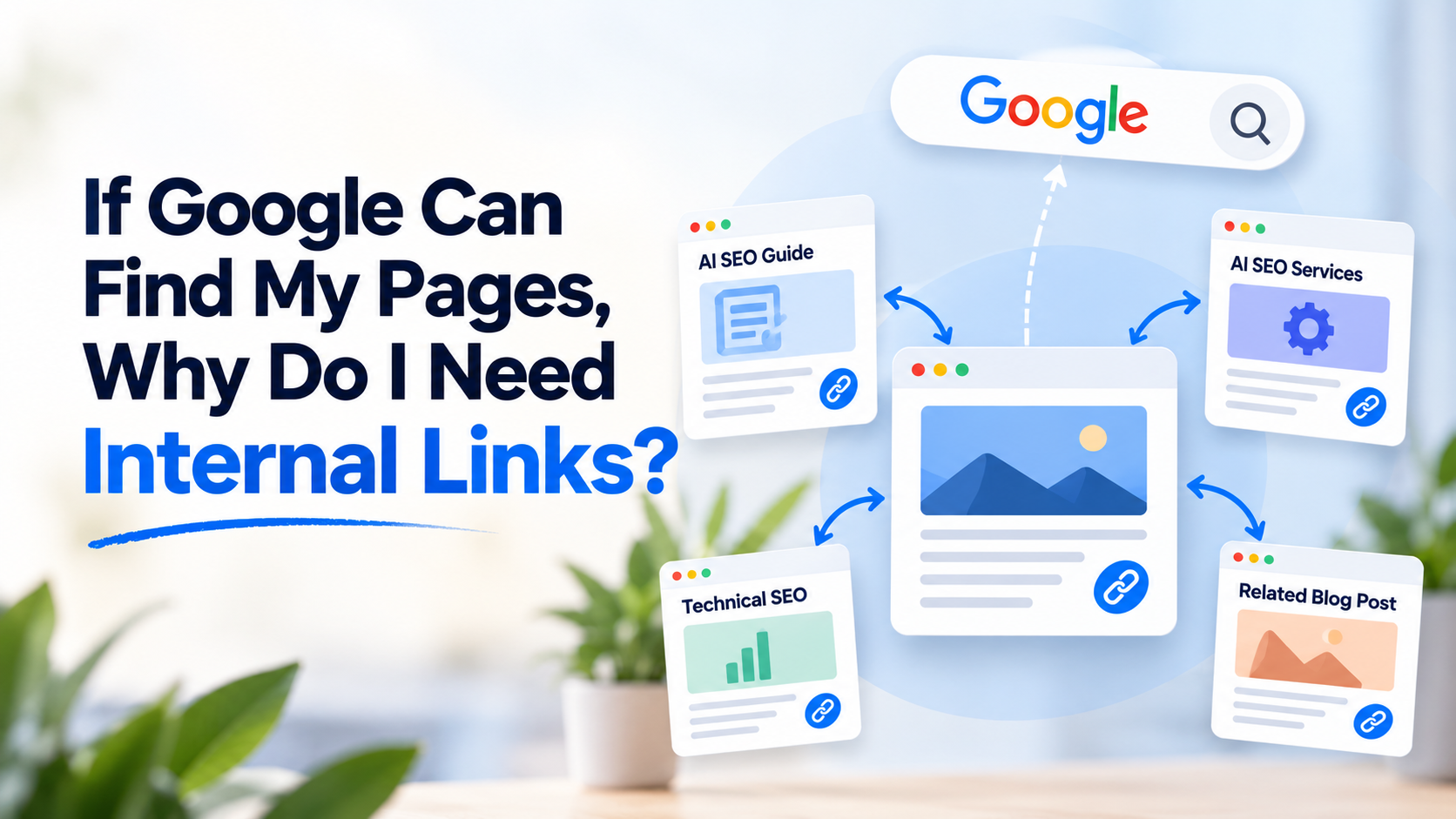
Suppose I write an article about AI SEO on Simply Sansu. In that article, I mention that businesses need to improve their visibility in AI search.
I already have an AI SEO services page and an AI SEO guide on my website.
If a reader wants to work with me, I can naturally link to my AI SEO services page.
But if the reader simply wants to understand the topic better, I can link to my AI SEO guide instead.
Both are relevant internal links, but they serve different purposes.
The service page gives the reader a next step if they are looking for a service. The guide gives them more information if they are still learning about AI SEO.
At the same time, these internal links help show search engines that these pages are related.
Google may already be able to discover all three pages separately. But the internal links create a clearer connection between them.
That is where I see the real value of internal linking.
It isn’t simply about helping Google find a page. It is also about helping both readers and search engines understand how the pages on my website are connected.
Example for Sansu Bogs
When writing a new article and an older article genuinely relates I link to it.
For example, if I’m writing about motherhood and I’ve already written about maternity break and entrepreneurship, I would naturally link to that story.
If there is no relevant article, don’t force a link.
Your WordPress blog’s category/archive pages provide a basic internal structure:
Home → Blog → Category → Post
So even without manually inserting links inside your articles, your posts aren’t necessarily isolated.
So even without manually inserting links inside your articles, your posts aren’t necessarily isolated.
Do I Need Internal Links Everywhere?
No.
I don’t think internal linking should become a numbers game.
If I am writing something on SansuBlogs and have an older article that genuinely relates to it, I can link to that article.
If there is no relevant article, I don’t need to force one just because I think every post should have an internal link.
For me, relevance matters more than the number of links.
How I Look at It Across My Websites
On Simply Sansu, I actively use internal linking as part of my SEO and content strategy because the website has a clear focus around SEO, Digital PR, AI, and digital marketing.
With SansuBlogs, I am taking a more natural approach because the content covers different areas of my thoughts and experiences.
That doesn’t mean I am ignoring internal linking. It simply means I am not going to force connections where they don’t naturally exist.
My Takeaway
The question isn’t really:
“Can Google find my page without an internal link?”
It can.
The better question is:
“Can an internal link make my content easier to discover and help connect related pages on my website?”
If the answer is yes, then I think it is worth adding.
Internal linking isn’t just about helping Google find a page. It is also about creating a better-connected website for both readers and search engines.
And that is why, even though Google can discover my pages without internal links, I still consider internal linking an important part of SEO.