Free Social Media Scheduling Tools: Which One Should You Choose?
If you manage multiple social media accounts, you’ve probably realized that posting manually every day isn’t sustainable.
That’s where social media schedulers come in. They allow you to prepare content in advance, maintain a consistent posting schedule, and save a significant amount of time.
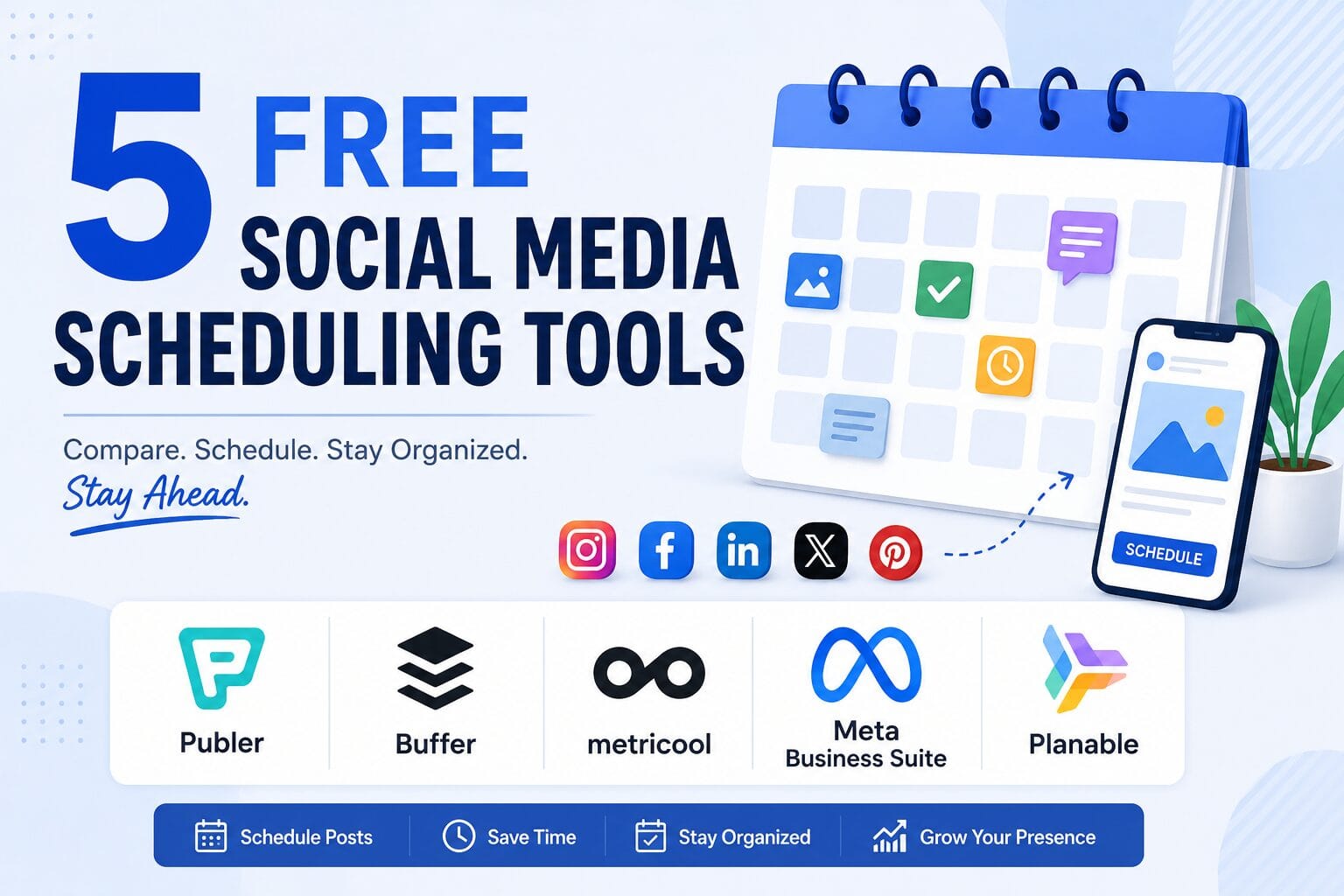
The good news is that you don’t have to spend a fortune. Several scheduling tools offer generous free plans that are more than enough for individuals, bloggers, freelancers, and even small businesses getting started.
There are many excellent social media scheduling tools available today, both free and paid. In this article, however, I’m focusing only on free schedulers because that’s what I currently use. If you’re an individual creator, blogger, freelancer, or small business owner looking to save time without adding another monthly subscription, these tools are a great place to start.
Why Use a Social Media Scheduler?
One reason I rely on a social media scheduler is that it takes away the pressure of remembering to post every day. Whenever I publish a new blog, I immediately schedule posts across my social media channels. That way, I know my content will be shared even if I’m busy with client work or other commitments. It also keeps me organized by letting me plan content in advance instead of deciding what to post each day. For me, it’s less about automation for the sake of automation and more about maintaining consistency without the stress of doing everything manually.
I also like the flexibility it gives me to experiment with different posting times. Instead of trying to remember to publish manually at various hours, I can schedule posts in advance and see which times generate better engagement. It makes testing much easier while keeping my workflow organized.
A scheduler helps you:
- Plan content in advance.
- Maintain a consistent posting schedule.
- Manage multiple platforms from one dashboard.
- Reduce the stress of daily posting.
- Focus more on creating quality content.
While no scheduler guarantees better engagement, consistency is much easier to achieve when your content is planned ahead.
The Tool I Currently Use: Publer
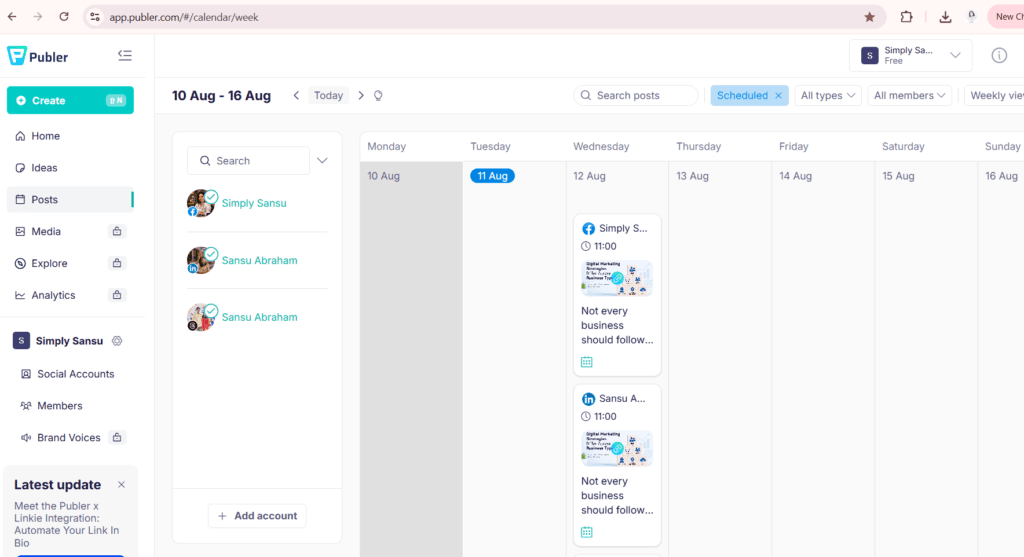
I’ve been using Publer, and overall, it’s been a good experience. The interface is clean, scheduling is straightforward, and the free plan is generous enough for many creators. The free plan allows up to 3 social accounts and 10 scheduled posts per account, making it a practical choice for individuals and small businesses.
One limitation I’ve personally noticed is tagging people. Depending on the platform, tagging accounts isn’t always as seamless as posting natively. When networking on LinkedIn or collaborating with others, I often find myself making small edits after the post goes live.
That isn’t a deal-breaker for me, but it’s something worth knowing before choosing any scheduling tool.
Five Free Social Media Schedulers Worth Trying
1. Publer
Best for: Bloggers, freelancers, and small businesses.
Pros
- Clean interface
- Supports multiple platforms
- Easy scheduling
- Canva integration
- Generous free plan
Drawbacks
- Limited social accounts on the free plan.
- Limited scheduled posts.
- Some platform-specific features, such as tagging or advanced publishing options, may still require manual adjustments.
2. Buffer

Best for: Beginners looking for a simple scheduler.
Pros
- Very easy to use
- Supports major social platforms
- Clean publishing workflow
Drawbacks
- Free plan supports only a limited number of channels and scheduled posts.
- Analytics and collaboration features are quite basic unless you upgrade.
3. Metricool
Best for: Creators who also want basic analytics.
Pros
- Scheduling
- Performance analytics
- Competitor tracking
- Link-in-bio features
Drawbacks
- The free plan limits brands, analytics history, and access to some social networks such as LinkedIn.
4. Meta Business Suite
Best for: Facebook and Instagram users.
Pros
- Completely free
- Official Meta tool
- Reliable scheduling for Facebook and Instagram
- Basic insights included
Drawbacks
- Only supports Meta platforms.
- Not suitable if you also publish regularly on LinkedIn, X, Pinterest, or other networks.
5. Planable
Best for: Teams and client collaboration.
Pros
- Excellent approval workflow
- Visual content calendar
- Easy collaboration
Drawbacks
- The free plan is mainly suited for testing and smaller projects.
- Collaboration and advanced publishing features require paid plans.
Which One Should You Choose?
There isn’t a single “best” scheduler.
It depends on your needs.
- Publer is a solid all-round choice.
- Buffer is excellent if you want simplicity.
- Metricool is useful if analytics matter.
- Meta Business Suite is ideal if you only post to Facebook and Instagram.
- Planable shines when working with clients or teams.
Feature Comparison
| Feature | Publer | Buffer | Metricool | Meta Business Suite | Planable |
|---|---|---|---|---|---|
| Free Plan | ✅ | ✅ | ✅ | ✅ | ✅ |
| Best For | Bloggers & Freelancers | Beginners | Analytics | Facebook & Instagram | Teams |
| Multi-Platform Publishing | ✅ | ✅ | ✅ | ❌ | ✅ |
| Visual Content Calendar | ✅ | ✅ | ✅ | ✅ | ✅ |
| Analytics | Basic | Basic | Good | Basic | Basic |
| Team Collaboration | Limited | Limited | Limited | Limited | Excellent |
| Canva Integration | ✅ | ❌ | ❌ | ❌ | ❌ |
| Mobile App | ✅ | ✅ | ✅ | ✅ | ✅ |
| Learning Curve | Easy | Very Easy | Moderate | Easy | Easy |
| My Recommendation | ⭐⭐⭐⭐⭐ | ⭐⭐⭐⭐☆ | ⭐⭐⭐⭐☆ | ⭐⭐⭐⭐☆ | ⭐⭐⭐⭐☆ |
Pros & Cons
| Tool | Best For | Biggest Advantage | Biggest Drawback |
|---|---|---|---|
| Publer | Bloggers & Small Businesses | Clean interface, Canva integration, generous free plan | Tagging people can be limited on some platforms |
| Buffer | Beginners | Very easy to use | Limited features on the free plan |
| Metricool | Analytics | Excellent reporting | Some advanced analytics require a paid plan |
| Meta Business Suite | Facebook & Instagram | Completely free and official Meta tool | Only works with Meta platforms |
| Planable | Teams & Agencies | Excellent collaboration and approval workflows | Free plan is quite limited |
Ratings Comparison (Recommended if you update it periodically)
| Tool | G2 Rating | Capterra Rating | Free Plan |
|---|---|---|---|
| Publer | ⭐ 4.8/5 | ⭐ 4.8/5 | ✅ |
| Buffer | ⭐ 4.3/5 | ⭐ 4.5/5 | ✅ |
| Metricool | ⭐ 4.5/5 | ⭐ 4.6/5 | ✅ |
| Meta Business Suite | ⭐ Varies | ⭐ Varies | ✅ |
| Planable | ⭐ 4.7/5 | ⭐ 4.8/5 | ✅ |
Ratings are approximate and may change over time.
Final Thoughts
The best scheduling tool is the one that fits your workflow.
I’ve found Publer to be reliable for my day-to-day publishing, even though I occasionally need to make manual edits for things like tagging people. That’s a trade-off I’m comfortable with because it saves me a great deal of time overall.
If you’re just starting out, my advice is simple: begin with a free plan. As your content strategy grows, you’ll quickly discover which features matter most to you—and that’s the right time to consider upgrading to a paid plan.