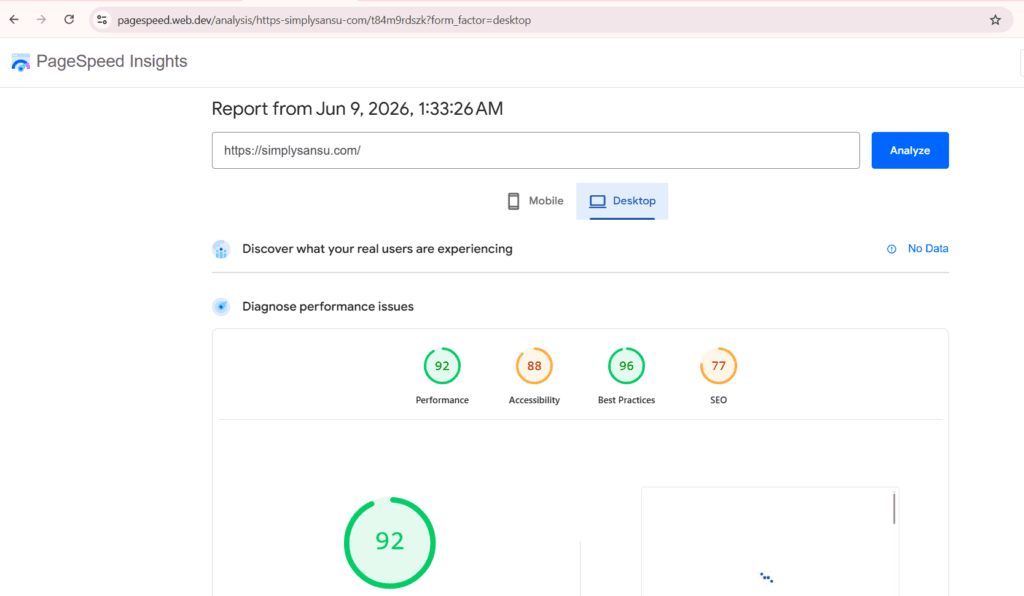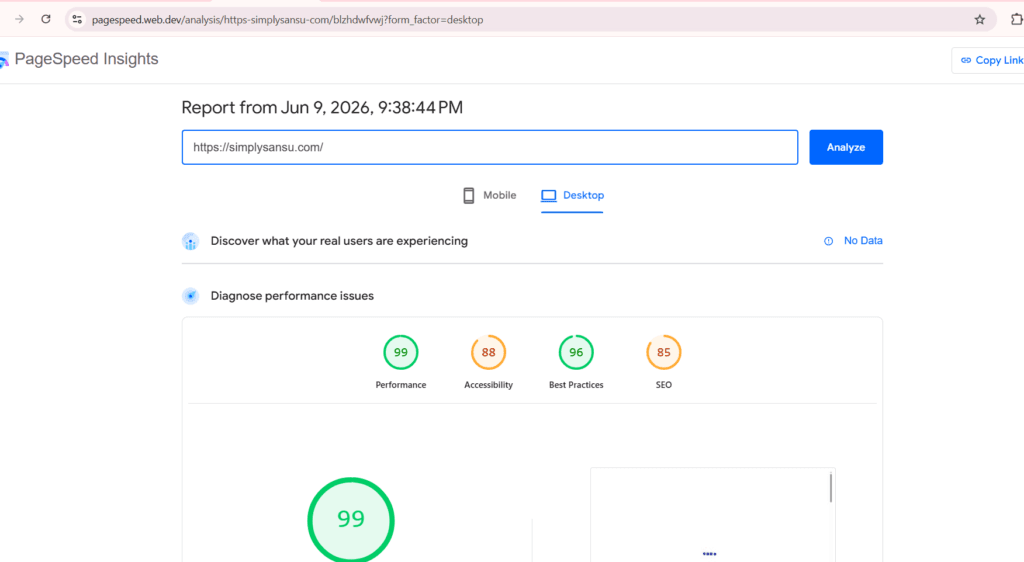
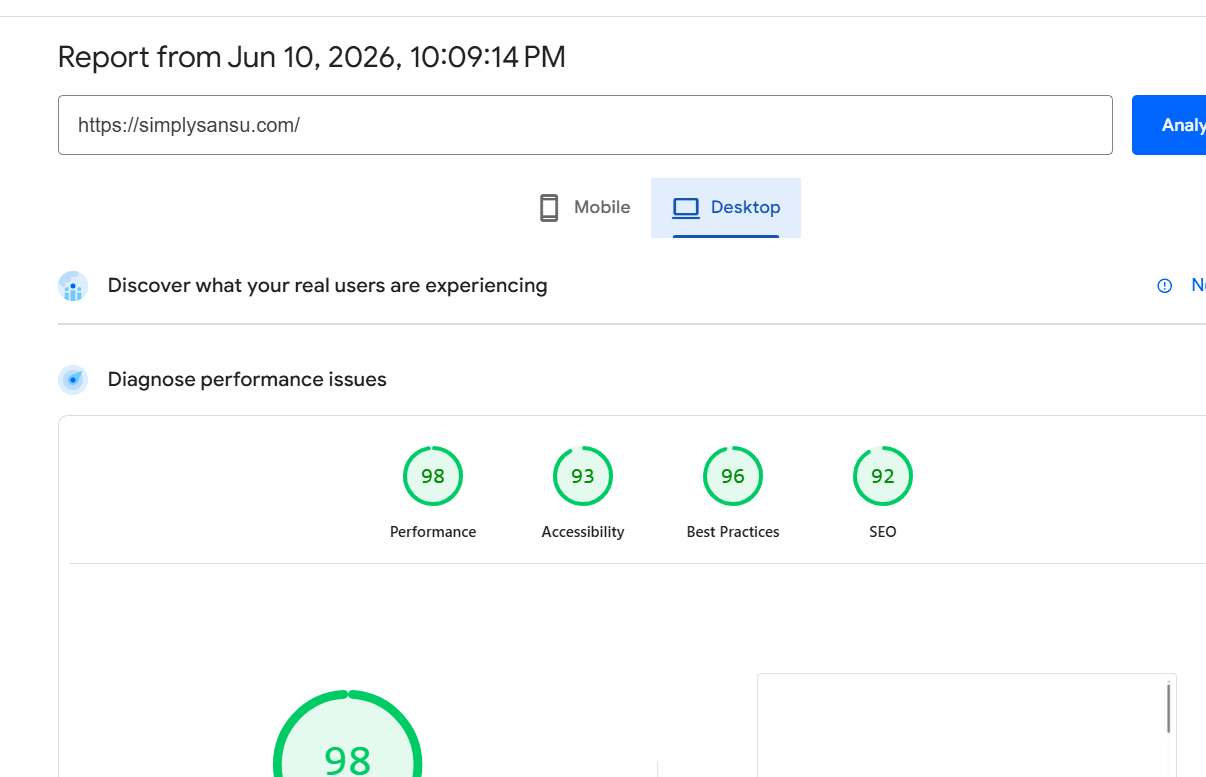
From a Website Speed Warning to a Faster Website (61 to 98): My Journey Optimizing SimplySansu.com
Page Speed Insigts on June 8th, 2026
Page Speed Insigts on June 9th, 2026
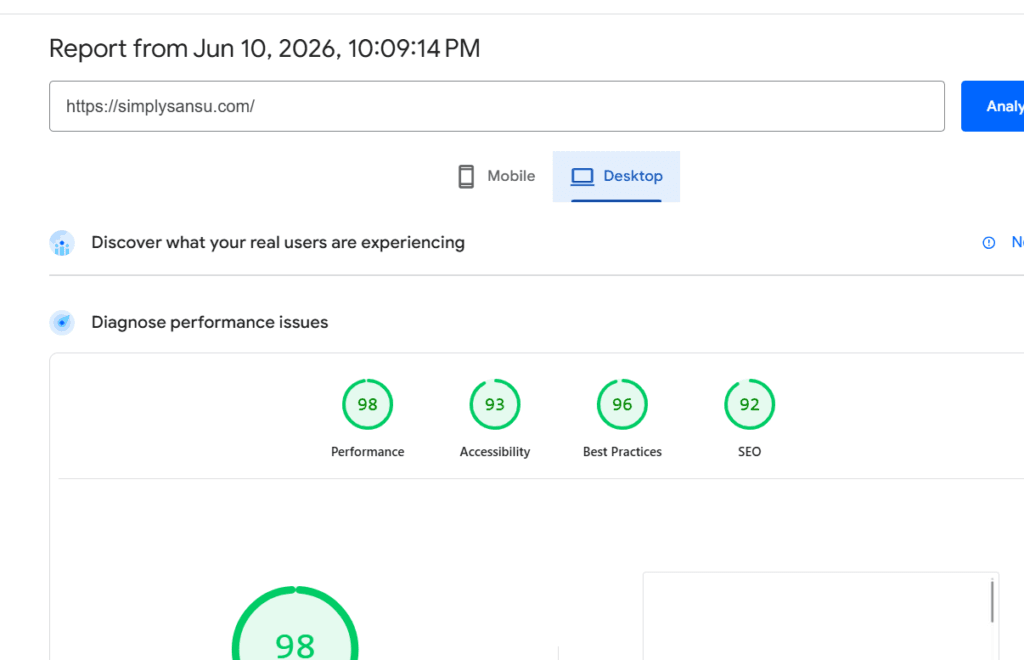
Page Speed Insights on June 10th 2026
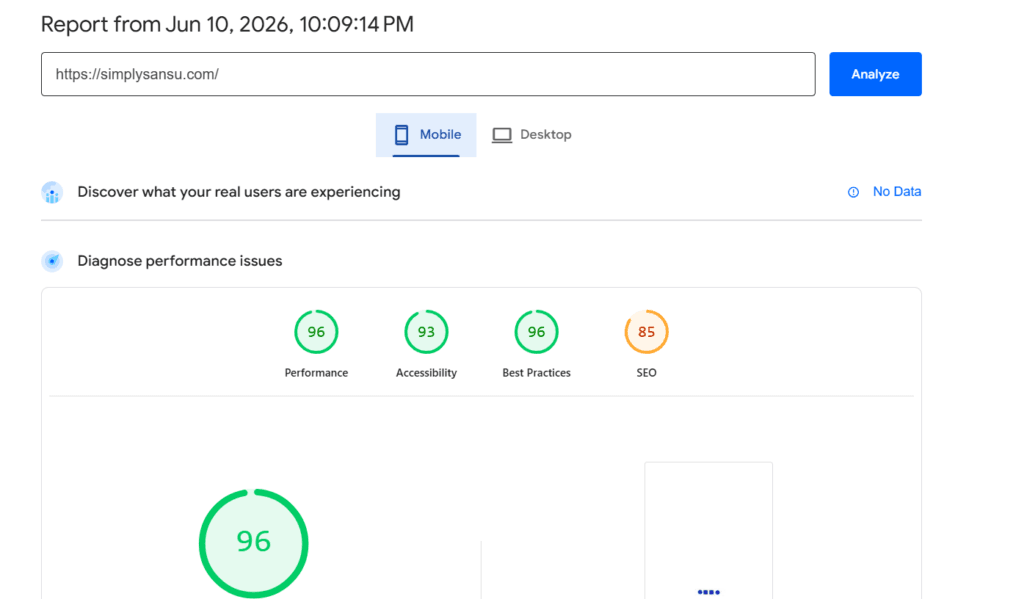
Being bloggers, we spend endless amounts of time working on writing posts, optimizing headlines, and trying to offer valuable information to our audience. But then suddenly, while auditing my blog, SimplySansu.com, through Google PageSpeed Insights, I saw a warning that got my attention right away:
“Requests are blocking the page’s initial render, which may delay LCP. Deferring or inlining can move these network requests out of the critical path.”
While at first glance, it seemed like a regular technical warning that no one except for a developer would be able to understand. As I started investigating further, I found out that it could have a great effect on every person visiting my website.
This particular warning said that some CSS and JS files were preventing the website page to render quickly, thus affecting both LCP and FCP indicators.
Website Speed Warning: What Was Causing the Problem?
After reviewing the report, several likely contributors emerged:
- Elementor CSS files
- Google Fonts such as Montserrat, Roboto, and Roboto Slab
- Latest Post Shortcode CSS and JavaScript
- WP RSS Aggregator stylesheets
- Multiple WordPress block styles
- Google Tag scripts loading in the page header
The recommendation was clear. If I wanted a faster website, I needed to start optimizing.
The First Remedy: Enable Caching
The first piece of advice that I got was simple: turn on caching.
As SimplySansu.com is hosted on Hostinger and makes use of LiteSpeed Cache, I concentrated on Page Cache, Browser Cache, and Object Cache. The Page Cache provides users with cached versions of the page, while the Browser Cache helps cache website elements in their local browser. The Object Cache helps cut down on multiple requests to the database.
What seemed simple turned out to be an integral element of the site improvement process.
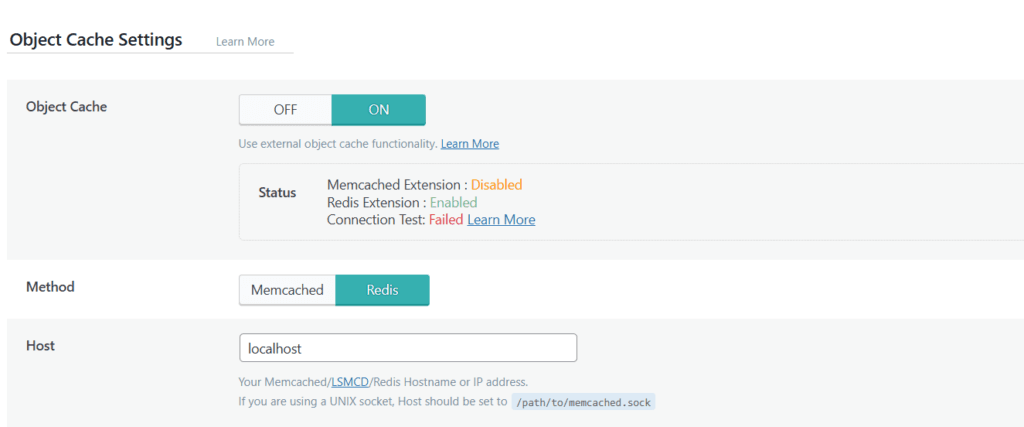
My Redis Confusion
When trying out Object Cache, however, I discovered that Redis was active in LiteSpeed Cache. I thought that meant everything was in place but, surprisingly, a test of the connection came up negative.
It turned out that I learned one of the most crucial lessons of all – the mere fact that Redis was installed did not mean the Redis server itself was online and operational. After some deliberation, I came to a conclusion that for a content-oriented site such as SimplySansu.com, Page Cache and Browser Cache were bound to make much more of a difference than anything else.
It dawned on me once again that optimization is all about getting things done right and focusing on what really matters.
The QUIC.cloud Adventure
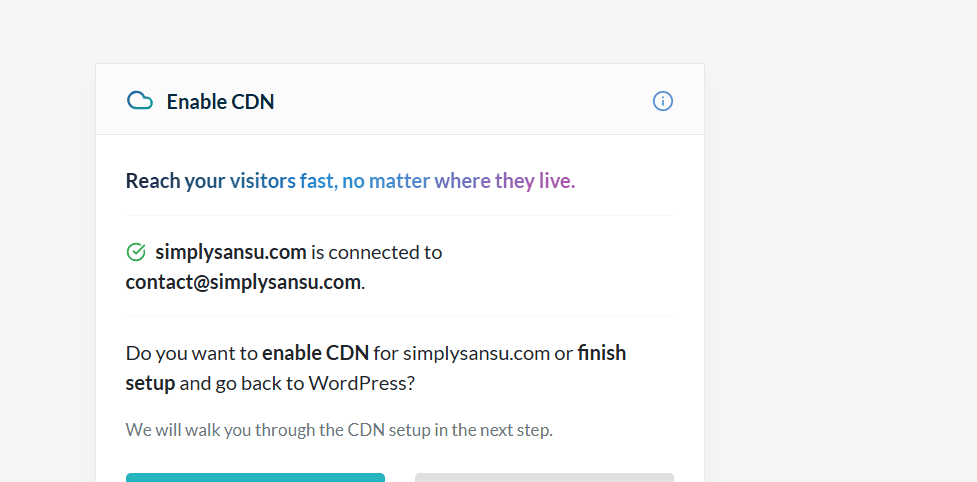
The third tip was regarding optimizing images. LiteSpeed Cache recommended connecting SimplySansu.com with QUIC.cloud for optimizing images and making use of WebP. At the outset, everything seemed fairly simple.
However, upon delving into the settings and options available, questions related to DNS switching, choosing CDNs, and their installation methods started flooding my mind. Was there a need to switch to QUIC.cloud DNS? Would switching to DNS have any effect on my website? As a blogger who likes blogging much better than server stuff, things became slightly complicated.
However, I soon found out that QUIC.cloud Services and QUIC.cloud DNS were two different things entirely. And with that understanding came another revelation – the one about the possibility of using image optimization services while keeping my DNS on Hostinger.
Waiting for a Connection
But then, after enabling the QUIC.cloud Services, came another obstacle: “Still working in the background…” for some time it looked like nothing is going on there.
After some waiting, several page refreshing attempts and doubts regarding the issue, eventually, the connection was made successfully and SimplySansu.com has become connected to QUIC.cloud. It wasn’t much, but still good enough to say that we were on the right path.
When Image Optimization Refused to Cooperate
Having successfully created the connection, I was looking forward to seeing my images optimized right away. However, all I saw was a handful of images available for optimization and the Pull Images button still inactive.
After reloading the page several times more than I wanted to at that point, I began suspecting something to be wrong here. The reality was much easier – QUIC.cloud approaches the task with caution and starts with optimizing a limited amount of images just to make sure everything works fine.
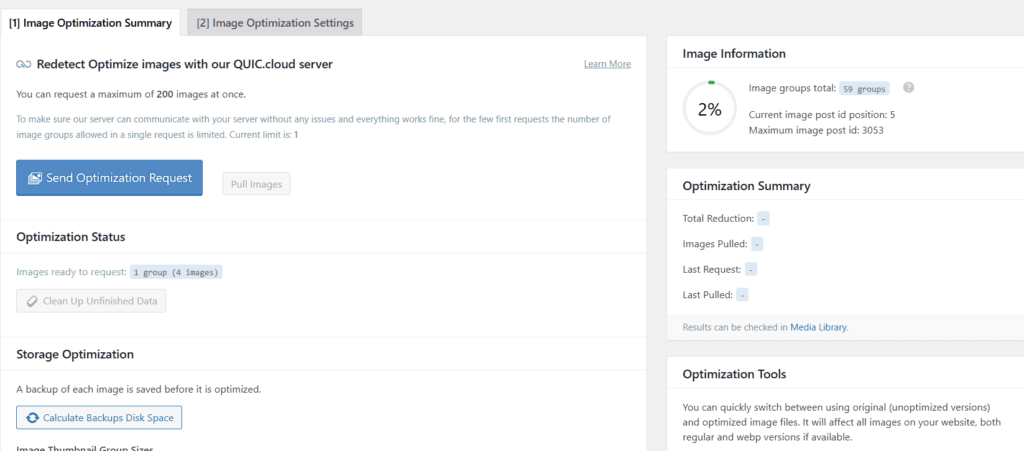
Again, this was one more lesson that optimization sometimes takes time. One has to be patient and give it some time to finish its job.
Finally Seeing Results
After several attempts and a bit of waiting, I finally saw encouraging statistics:
- Images Pulled: 1
- Last Pulled: via Cron
- Total Reduction: 32.15 KB
Seeing that first image successfully optimized felt surprisingly rewarding.
It was proof that the entire process was finally working.
The Changes I Made
Throughout this journey, I implemented or planned several improvements:
Caching
- Enabled Page Cache
- Enabled Browser Cache
- Investigated Redis Object Cache
Image Optimization
- Connected SimplySansu.com to QUIC.cloud
- Enabled Image Optimization
- Selected WebP as the next-generation image format
- Enabled WebP for additional srcset images
| Size | Assessment |
|---|---|
| Under 100 KB | Excellent |
| 100–300 KB | Very Good |
| 300–500 KB | Acceptable |
| Above 500 KB | Needs work |
Asset Optimization
- Investigated Elementor CSS files
- Reviewed plugin-generated CSS and JavaScript
- Reviewed Google Fonts usage
Additional Improvements
- Planned CSS Minification
- Planned HTML Minification
- Planned Lazy Loading
- Planned JavaScript deferral
- Planned browser cache improvements
What I Learned
That time showed me that website optimization is never just about finding one answer to solve all problems.
The message that popped up in Google’s PageSpeed made me start using caching. This, in turn, pushed me toward using LiteSpeed Cache. And finally, this brought me to QUIC.cloud, where I learned about such concepts as images optimization, WebP, Cron jobs, and even DNS.
But, most importantly, I understood that optimization should not be pursued by striving to get an ideal result in PageSpeed. Optimization means making it easier and more comfortable for your visitors. And the more comfortable it is to use the site, the more concentrated visitors will be on the content itself.
And in that case, my hard work was totally worth it.
Major challenges I faced:
- Redis showed “Extension Enabled” but “Connection Test Failed”.
- Discovering that QUIC.cloud Integration was disabled.
- Waiting while QUIC.cloud displayed “Still working in the background…”.
- Had to decide on whether to switch DNS to QUIC.cloud or keep Hostinger DNS.
- The initial image optimization limit of only 1 image group.
- Refreshing repeatedly and wondering why Pull Images remained disabled.
- Seeing “Images ready to request: 1 group (4 images)” and not knowing if anything was happening.
- Finally seeing:
- Images Pulled: 1
- Last Pulled (Cron)
- Total Reduction: 32.15 KB
- Choosing WebP over AVIF.
- LiteSpeed had already enabled a few settings automatically.
- Realizing that Page Cache, Browser Cache, WebP, and Lazy Load would likely have a greater impact on a blog than Redis.
Conclusion
After implementing a combination of caching, image optimization, plugin cleanup, font optimization, Elementor performance settings, and LiteSpeed Cache enhancements, I reran PageSpeed Insights. The results were encouraging. My desktop performance score improved from 53 to 96 (Mobile), 61 to 98 (Desktop) demonstrating how a series of small, thoughtful optimizations can collectively make a significant impact. More importantly, the website felt faster and more responsive, reinforcing the idea that performance improvements are best achieved through consistent incremental changes rather than a single dramatic fix.