
Share this article:
Introducing Synora PR Hub by Simply Sansu
What started as an effort to organize journalist and media contacts has evolved into a collaborative resource for PR professionals, digital marketers, founders, and businesses.
Synora PR Hub by Simply Sansu is a shared journalist and media contact database designed to make media research and outreach more accessible.
Registered members can browse media contacts across different industry verticals, contribute new contacts, suggest additional categories, and flag outdated information.
The idea behind Synora PR Hub is captured in its tagline: Together, we can build and grow. Every contribution helps expand the database, improve its usefulness, and create a shared resource for the PR and marketing community.
Explore Synora PR Hub: https://database.simplysansu.com/
I have always wanted to organize my journalist and media contact database the way I wanted: easy to access, simple to manage, and lightweight, without too many dependencies or unnecessary features.
I wanted a system where I could freely add journalist contacts and organize them by industry vertical without going through multiple spreadsheets or dealing with complicated workflows.
As my contact list grew, this became a necessity. Instead of looking for another platform that offered more features than I needed, I decided to build my own application. In fact, I created a separate subdomain for it, where I can access and manage my contacts whenever I need them.
That is how I built Simply Sansu PR Hub, a lightweight journalist and media contact management application designed around my own workflow.
Here is what I built, why I chose this approach, and how other businesses can create a similar system.
Simply Sansu PR Hub
1. Main features of Simply Sansu PR Hub
The idea behind the application was to keep things simple. I did not want a complicated PR platform. I wanted a dedicated place to organize contacts and access them easily.
The main features include:
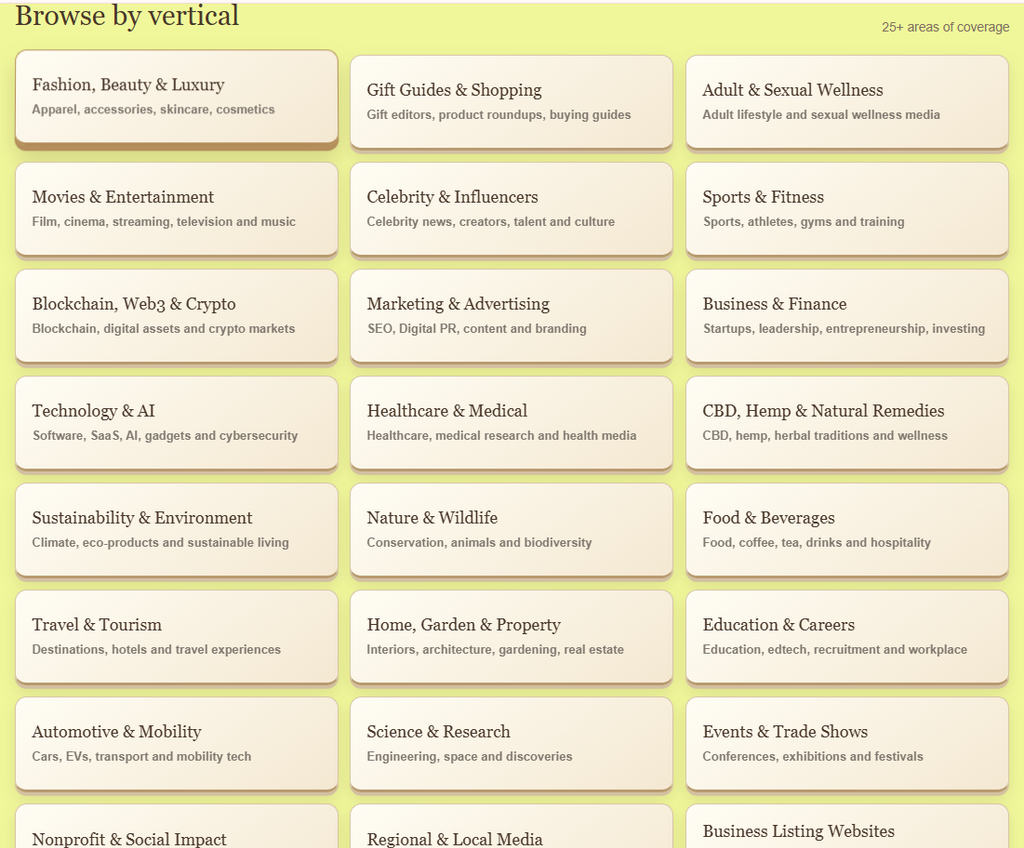
- 25 industry verticals: Contacts can be organized across 25 categories, covering areas such as Technology and AI, Marketing and Advertising, Business and Finance, Healthcare, Travel, Fashion, Food, and more.
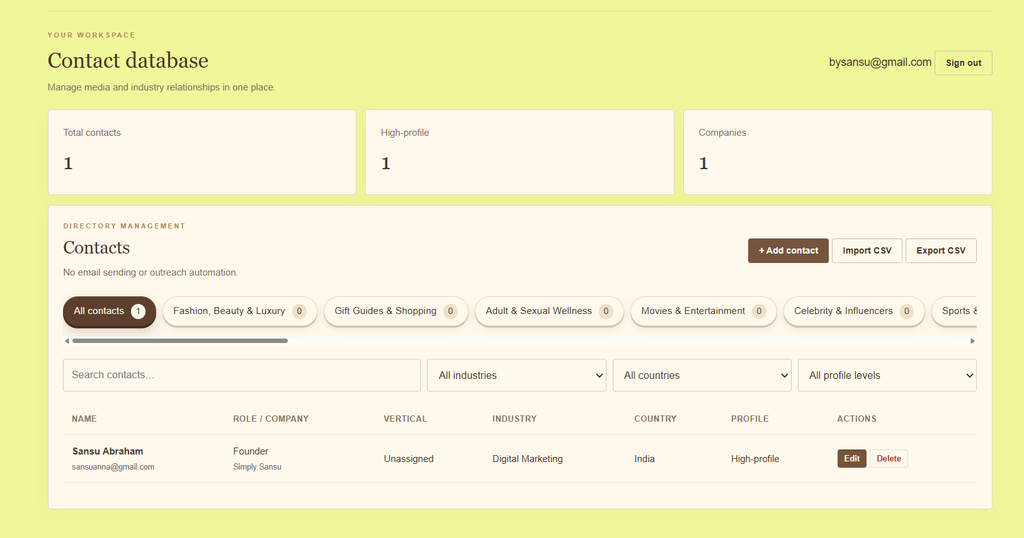
- Centralized contact database: All journalist and media contacts are maintained in one database rather than separate databases for every vertical.
- Vertical-based filtering: I can select a category and view the contacts assigned to that vertical.
- Add and manage contacts: I can add new contacts and maintain their details as my database grows.
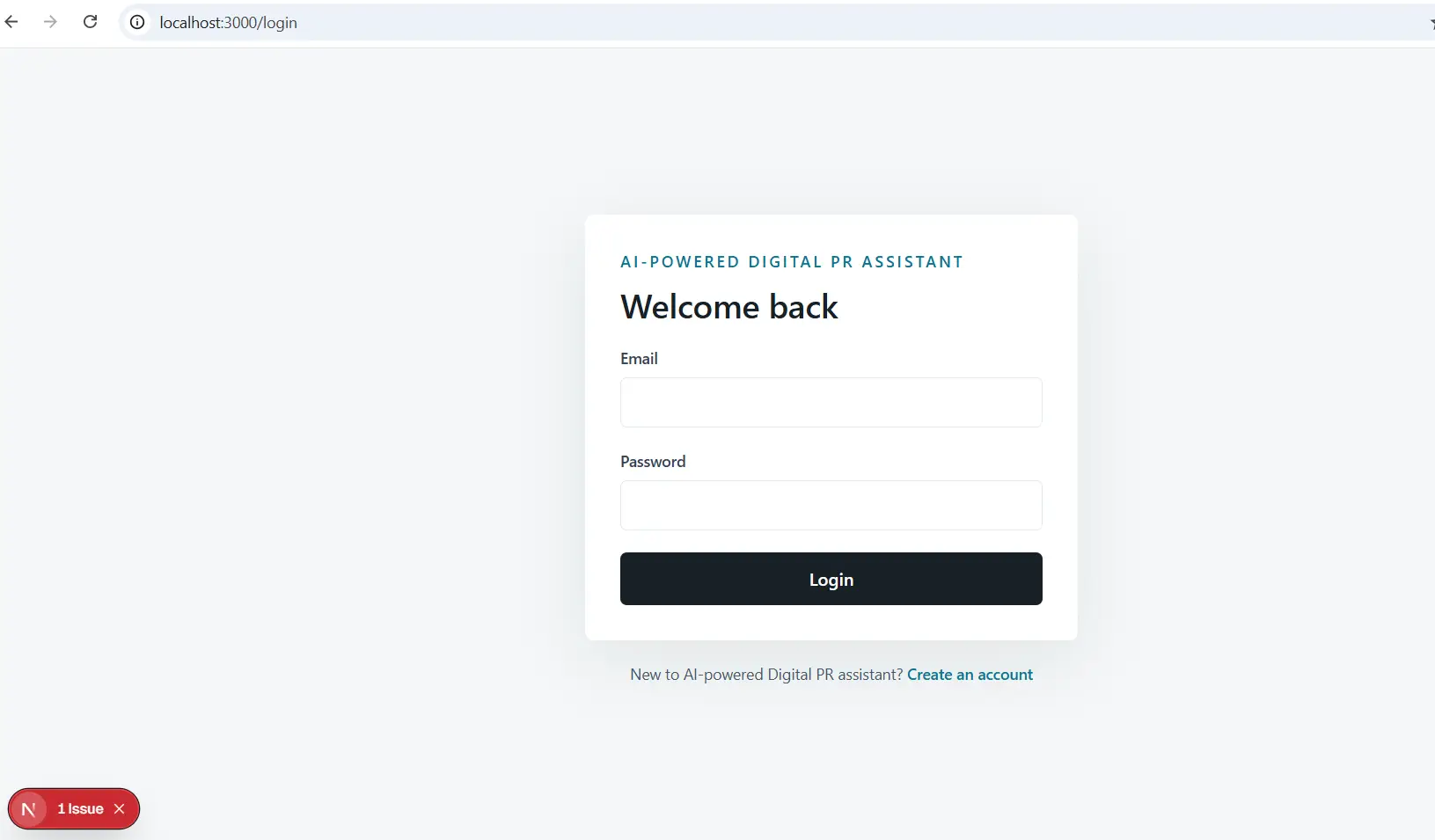
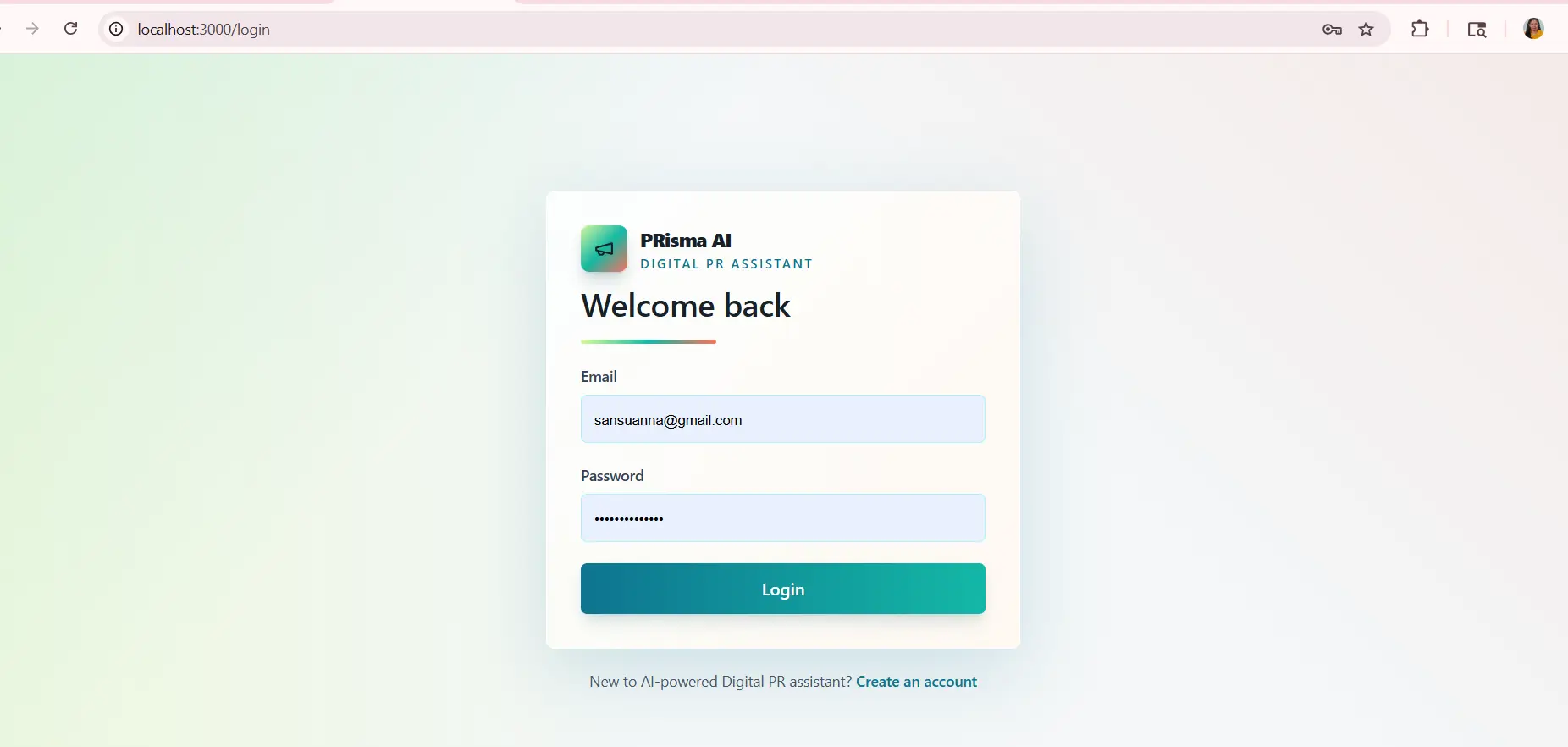
- Email-based login: The application has a login system to access the contact database.
- CSV import and export: Contacts can be imported and exported using CSV files, making it easier to manage records.
The application is designed to handle one specific task: organizing journalist and media contacts in a way that works for my day-to-day PR activities.
2. What makes it different?
The biggest difference is that I built it around my own requirements.
I did not want to use a platform simply because it offered a long list of features. I wanted something that would solve a specific problem without adding unnecessary complexity.
Here is what I wanted from the application:
- A simple interface that is easy to navigate.
- The freedom to add contacts whenever I find relevant journalists or publications.
- Industry-specific categories to keep contacts organized.
- One centralized database instead of multiple spreadsheets.
- Easy access through a dedicated subdomain.
- No unnecessary features or complicated workflows.
- No paid subscription for using my own lightweight contact management system.
It is completely free to use as my own contact management solution. I do not have to pay for a separate PR platform subscription to organize these records.
The goal was never to build another full-scale PR platform. It was to build something practical that does exactly what I need.
3. How is it different from existing PR platforms?
There are several established PR platforms available, including media databases, journalist discovery tools, outreach platforms, and media monitoring solutions.
Platforms such as Muck Rack, Cision, Meltwater, and Prowly offer different combinations of journalist discovery, media databases, pitching, campaign management, and media monitoring.
Simply Sansu PR Hub is not designed to replace these platforms. It serves a much narrower purpose.
| Feature | Full-scale PR platforms | Simply Sansu PR Hub |
|---|---|---|
| Journalist discovery | Available on platforms that offer this feature | Not included |
| Media contact database | Available | Available |
| Contact organization | Available | Available |
| Industry-based filtering | Depends on platform | Available across 25 verticals |
| Email pitching | Available on platforms with outreach features | Not included |
| Email campaign management | Available on some platforms | Not included |
| Media monitoring | Available on platforms with monitoring features | Not included |
| Subscription | Paid plans generally apply | Free for my contact management use |
The distinction is simple.
I do not use the PR Hub to discover journalists, send emails, manage email campaigns, or monitor media coverage. I use it to organize contacts I have already sourced.
It is a lightweight, free contact management application, not a replacement for a full-scale PR platform.
4. The technology stack behind the application
I built the application using a combination of frontend technologies and backend services.
Here is the technology stack:
| Technology | Purpose |
|---|---|
| HTML5 | Application structure |
| CSS3 | Design, layout, and styling |
| JavaScript | Application functionality and interactions |
| Supabase | Backend services and authentication |
| PostgreSQL | Contact database |
| Hostinger | Hosting the application on a dedicated subdomain |
The frontend handles the interface and user interactions, while Supabase manages authentication and the database.
I chose this setup because it allowed me to build a lightweight application without setting up a complicated backend infrastructure.
The application is hosted on a separate subdomain:
5. Can anyone build a similar application?
Yes. You do not necessarily need to develop a large software application to organize your media contacts.
You can start with a simple spreadsheet and gradually build something more structured as your requirements grow.
Here is one way to approach it:
Step 1: Identify your requirements
Decide what you want to manage. This could include journalist names, publications, email addresses, areas of coverage, industry categories, location, and notes.
Step 2: Create your categories
List the industries and verticals relevant to your business. This will help you filter contacts instead of maintaining several disconnected lists.
Step 3: Choose your database
Start with Google Sheets or Excel. If you need more flexibility, explore a database-backed application.
Step 4: Choose your technology
For a simple custom application, you can use HTML, CSS, and JavaScript for the frontend and a backend service such as Supabase for authentication and database management.
Step 5: Build only what you need
Start with the essentials: adding contacts, viewing records, filtering by category, and importing or exporting data. You can introduce additional features when there is a genuine need.
AI coding assistants can also help with building and understanding parts of the application. However, you still need to define the requirements, review the code, configure the database securely, and test the application.
My experience with Simply Sansu PR Hub showed me that a useful application does not have to be complicated. It needs to solve the problem it was built for.
6. Why businesses should maintain their own media contact database
This is probably the most important reason I built the PR Hub.
Businesses often focus on finding new journalists and publications for every campaign. But what happens to the contacts and media opportunities from previous campaigns?
Some campaigns perform better than others. Certain publications may be particularly relevant to your audience. A journalist may have covered your business or industry before. A website may have delivered meaningful visibility during a seasonal campaign.
These are contacts worth retaining.
Think about the campaigns you run every year. You may have opportunities around:
- Christmas and holiday campaigns
- New Year promotions
- Valentine’s Day
- Mother’s Day and Father’s Day
- Industry-specific awareness days
- Product launches
- Annual events and trade shows
- Seasonal sales and special promotions
If a campaign worked well last year, you may want to approach some of the same publications or journalists when the occasion comes around again.
Instead of starting your research from scratch, you can refer to your previous campaign records and identify the contacts that were relevant.
This is why I believe businesses should maintain their own preferred media contact list.
A large database does not automatically mean better results. You could have hundreds or thousands of contacts, but many may not be relevant to your business, campaign, or target audience.
A smaller, carefully organized list of preferred journalists, publications, and websites can be more useful.
I would recommend maintaining information such as:
- Publications that covered your business or industry.
- Journalists who regularly write about your products or services.
- Websites that were relevant to previous campaigns.
- Contacts who responded positively to earlier outreach.
- Publications you want to approach during specific seasons or events.
- Contacts that should be excluded from future outreach based on their preferences.
You can also maintain notes about previous campaigns, including the publication approached, the campaign topic, the outcome, and the date.
Over time, this becomes a useful resource for planning future Digital PR activities.
Rather than repeatedly building a large list that may or may not work, you have a preferred database that helps you identify relevant contacts for important campaigns and special occasions.
Conclusion
I built Simply Sansu PR Hub because I wanted a simple, lightweight way to organize journalist and media contacts without depending on a complicated PR platform.
It is not about having the largest database or the most features. It is about having the right contacts organized in a way that makes them easy to access and useful when you need them.
Businesses can start with a spreadsheet, use an existing CRM, or build a lightweight custom application. The right approach depends on the size of the database and the requirements of the business.
Most importantly, do not let the contacts you have already researched and the campaign relationships you have built go to waste. Maintain your own database, record what works, and use that information to plan your next campaign.
If your business needs support with journalist research, media outreach, and Digital PR campaigns, visit Simply Sansu to explore how I can help your brand build visibility and authority.